
Write Composable React Components
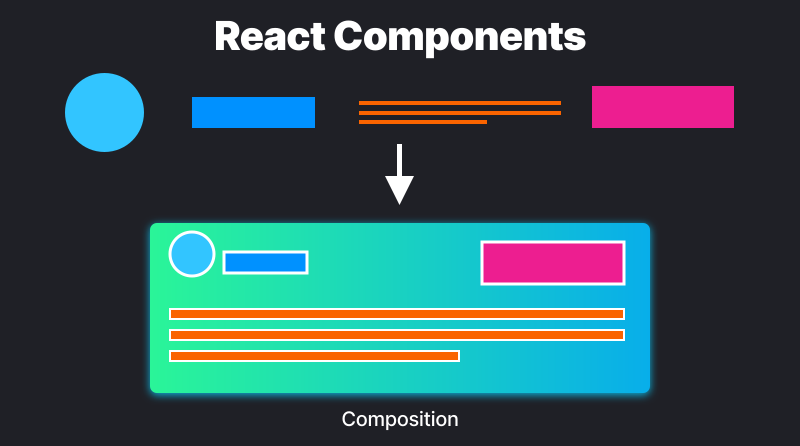
The article provides practical examples for leveraging composition and the compound pattern in React development, in order to build modular and flexible React applications.
1. Compound Pattern: Avoid having components with many props
With compound pattern, we can create multiple components that work together to perform a single task.
This FlyOut component is an example of a compound component, featuring some sub-components that collaborate to toggle and render the FlyOut component.
import React from "react";
import { FlyOut } from "./FlyOut";

export default function SearchInput() {
  return (
    <FlyOut>
      <FlyOut.Input placeholder="Enter an address, city, or ZIP code" />
      <FlyOut.List>
        <FlyOut.ListItem value="San Francisco, CA">
          San Francisco, CA
        </FlyOut.ListItem>
        <FlyOut.ListItem value="Seattle, WA">Seattle, WA</FlyOut.ListItem>
        <FlyOut.ListItem value="Austin, TX">Austin, TX</FlyOut.ListItem>
        <FlyOut.ListItem value="Miami, FL">Miami, FL</FlyOut.ListItem>
        <FlyOut.ListItem value="Boulder, CO">Boulder, CO</FlyOut.ListItem>
      </FlyOut.List>
    </FlyOut>
  );
}
We can implement the Compound Pattern using either a Provider, or React.Children.map. Now FlyOut doesn't care about how options are rendered. It's up to the component's consumer to determine how to show the option.
Provider
The FlyOut compound component consists of:
FlyoutContextto keep track of the visbility state ofFlyOutInputto toggle theFlyOut'sListcomponent's visibilityListto render theFlyOut'sListItemssListItemthat gets rendered within theList.
const FlyOutContext = React.createContext();

export function FlyOut(props) {
  const [open, setOpen] = React.useState(false);
  const [value, setValue] = React.useState("");
  const toggle = React.useCallback(() => setOpen((state) => !state), []);

  return (
    <FlyOutContext.Provider value={{ open, toggle, value, setValue }}>
      <div>{props.children}</div>
    </FlyOutContext.Provider>
  );
}

function Input(props) {
  const { value, toggle } = React.useContext(FlyOutContext);

  return <input onFocus={toggle} onBlur={toggle} value={value} {...props} />;
}

function List({ children }) {
  const { open } = React.useContext(FlyOutContext);

  return open && <ul>{children}</ul>;
}

function ListItem({ children, value }) {
  const { setValue } = React.useContext(FlyOutContext);

  return <li onMouseDown={() => setValue(value)}>{children}</li>;
}

FlyOut.Input = Input;
FlyOut.List = List;
FlyOut.ListItem = ListItem;
Another way to implement compound pattern is to use React.Children.map with React.cloneElement. Instead of having to use the Context API like in the previous example, we now have access to these two values through props.
Benefits
- State management: Compound components manage their own internal state, which they share among the several child components. When implementing a compound component, we don't have to worry about managing the state ourselves.
- Single import: When importing a compound component, we don't have to explicitly import the child components that are available on that component.
2. Composition Pattern: Avoid prop drilling
Single components are a building block of React. Any component can render other components, a parent component renders a child component and passes data as props, that's the simplest form of composition.
Here's one example where we pass props around in a simple component tree.
function Todo({ todo, toggleTodo }) {
  return (
    <li>
      <input
        type="checkbox"
        id={todo.id}
        onChange={toggleTodo}
        checked={todo.checked}
      />
      <label for={todo.id}>Scales</label>
    </li>
  );
}

function TodoList({ todos, toggleTodo }) {
  return (
    <ul>
      {todos.map((todo) => (
        <Todo key={todo.id} todo={todo} toggleTodo={toggleTodo} />
      ))}
    </ul>
  );
}

function Todo() {
  const [todos, setTodos] = useState([]);

  const toggleTodo = () => {
    // toggle todo checked status
  };

  return (
    <form>
      <input placeholder="add todo..." />

      <TodoList todos={todos} toggleTodo={toggleTodo} />
    </form>
  );
}
Do you see what's the problem with this code? We have to pass toggleTodo function deep down through multiple levels, and it will become more complicated as more functions will be added in the future. There's an advanced composition technique that helps us get around this issue, and it's container component.
The only difference from simple components is that they, among other props, allow passing special prop children. In our case, the whole todo list items are passed as children to TodoList component.
function TodoList({ children }) {
  return <ul>{children}</ul>;
}

function Todo() {
  const [todos, setTodos] = useState([]);

  const toggleTodo = () => {
    // toggle todo checked status
  };

  return (
    <form>
      <input placeholder="add todo..." />

      <TodoList>
        {todos.map((todo) => (
          <Todo key={todo.id} todo={todo} toggleTodo={toggleTodo} />
        ))}
      </TodoList>
    </form>
  );
}
Here, composition can simplify component interactions and reduce the need for prop drilling, meaning less headache as the component evolves. You can find more good practices for container component technique here.
3. Providers Tree: Avoid Provider wrapping hell in React.
In this code snippet, we can clearly see the providers are deeply nested within one another. This makes the code harder to read and maintain, and any changes to the provider structure could result in a significant refactor.
const root = createRoot(document.getElementById("root"));

root.render(
  <ThemeContext.Provider>
    <UserContext.Provider>
      <QueryClientProvider client={queryClient}>
        <Provider store={store}>
          <IntlProvider locale={usersLocale}>
            <App />
          </IntlProvider>
        </Provider>
      </QueryClientProvider>
    </UserContext.Provider>
  </ThemeContext.Provider>
);
To get away from this monstrosity, we can utilise composition using a custom function buildProvidersTree. This function takes an array of provider components and their props, and it composes them together into a single wrapper component.
const buildProvidersTree = (providers) => {
  const initialComponent = ({ children }) => <>{children}</>;
  return providers.reduce((Combined, [Provider, props = {}]) => {
    return ({ children }) => {
      return (
        <Combined>
          <Provider {...props}>{children}</Provider>
        </Combined>
      );
    };
  }, initialComponent);
};

const ProvidersTree = buildProvidersTree([
  [ThemeContext.Provider],
  [UserContext.Provider],
  [QueryClientProvider, { client: queryClient }],
  [ReduxProvider, { store }],
  [IntlProvider, { locale: usersLocale }],
]);

const root = createRoot(document.getElementById("root"));
root.render(
  <ProvidersTree>
    <App />
  </ProvidersTree>
);
As your application grows, you need to add, remove, or reorder providers. Composition makes this process straightforward. You only need to modify the array passed to buildProvidersTree, reducing the risk of creating bugs when refactoring.